
Reach the people you already serve.
You do the hard part already. This is where what you run gets in front of veterans and first responders in your area, and where they can follow it.
Ask a questionSet up your page
Already have an account? Sign in
Free. Veterans and first responders.
By continuing you agree to our Terms of Service and Privacy Policy.
You already do the hard part.
You do not have to be a jobs program. If what you do puts somebody closer to employment, this is a way of getting it in front of them.
Veterans service offices
County and state offices already fielding the questions. Your page is somewhere to send people that is not a phone number and a voicemail.
Colleges and training providers
Programs that put somebody into a trade. Post the course, the dates and who it is for, and it reaches people looking for exactly that.
Posts and veteran organizations
Legion and VFW posts, veteran nonprofits, peer groups. What you run gets in front of members and the people who have not walked in yet.
Municipalities and workforce boards
Hiring days, benefits clinics, open evenings. It goes to the people it is for instead of onto a noticeboard nobody reads.
Anything people can turn up to.
Your page carries what you are running. People follow it, so the next thing you post reaches them without you having to find them again.




Where the people you serve are heading
What goes on your page
- Hiring daysA date, a place and who should come
- Courses and programsWhat it leads to and when it runs
- Benefits clinicsWalk-in help, with the hours on it
- Open eveningsAnything people can turn up to
It stays yours to run
You decide what goes up and when. Change the dates, add the next course, take down what has finished. It is your page, not a listing somebody else maintains for you.
People follow it, so the next thing you post reaches them without you having to find them again.
Bring in the people you already serve.
An organization account gives you one link to bring in the veterans you work with, a list of where each one is, and a report that adds it up. The people decide what you see about them.
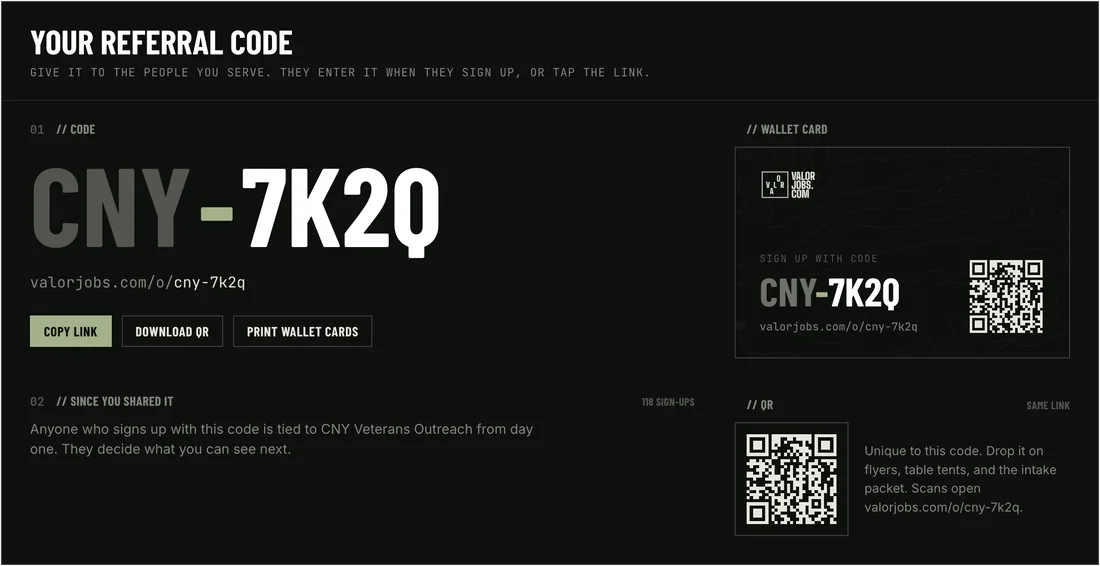
Your own referral link and QR
Put it on a flyer, a text, your site. Anyone who signs up through it lands on your People list, whether they join on the web or in the app.
- Where
- People → Add people
- Who
- Owners and admins
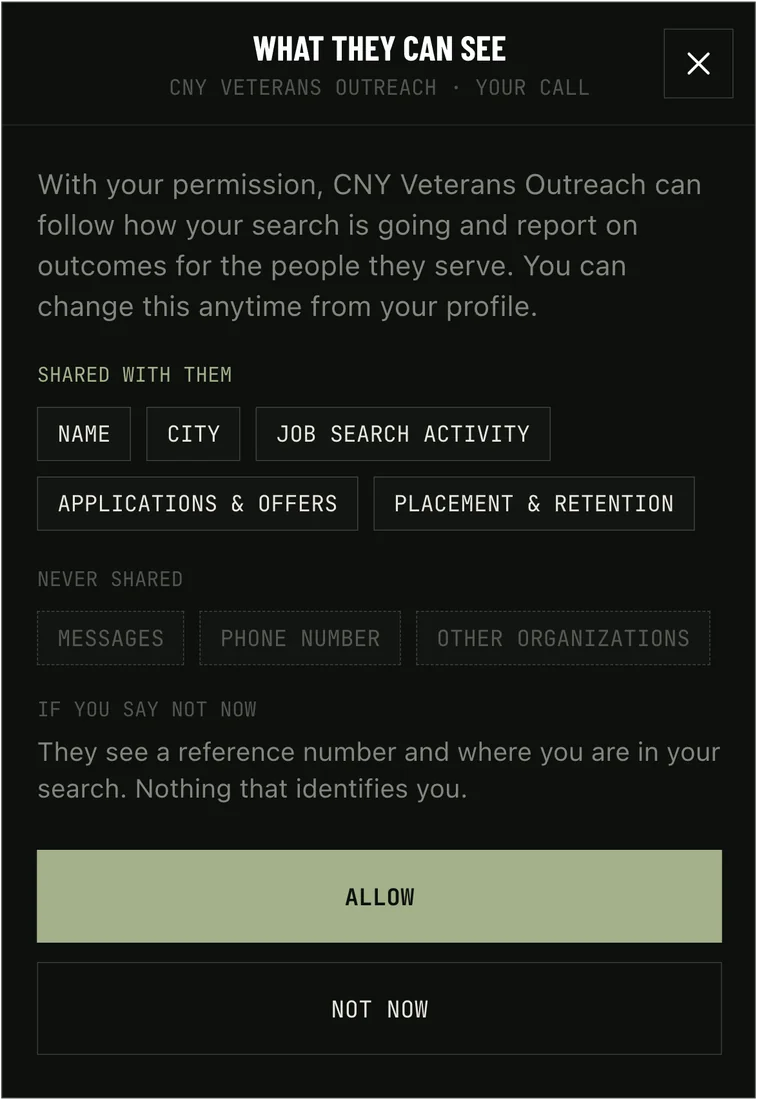
Sharing controls for every veteran
You always see a stage and a reference number. Their name, their outcomes and whether employers see the referral show only if they turn it on.
Everyone tied to you, and where they are
Signed up, onboarded, searching, applying, selected, placed. Names where people chose to share them, reference numbers where they did not. The Invited tab shows who has not joined yet.
Example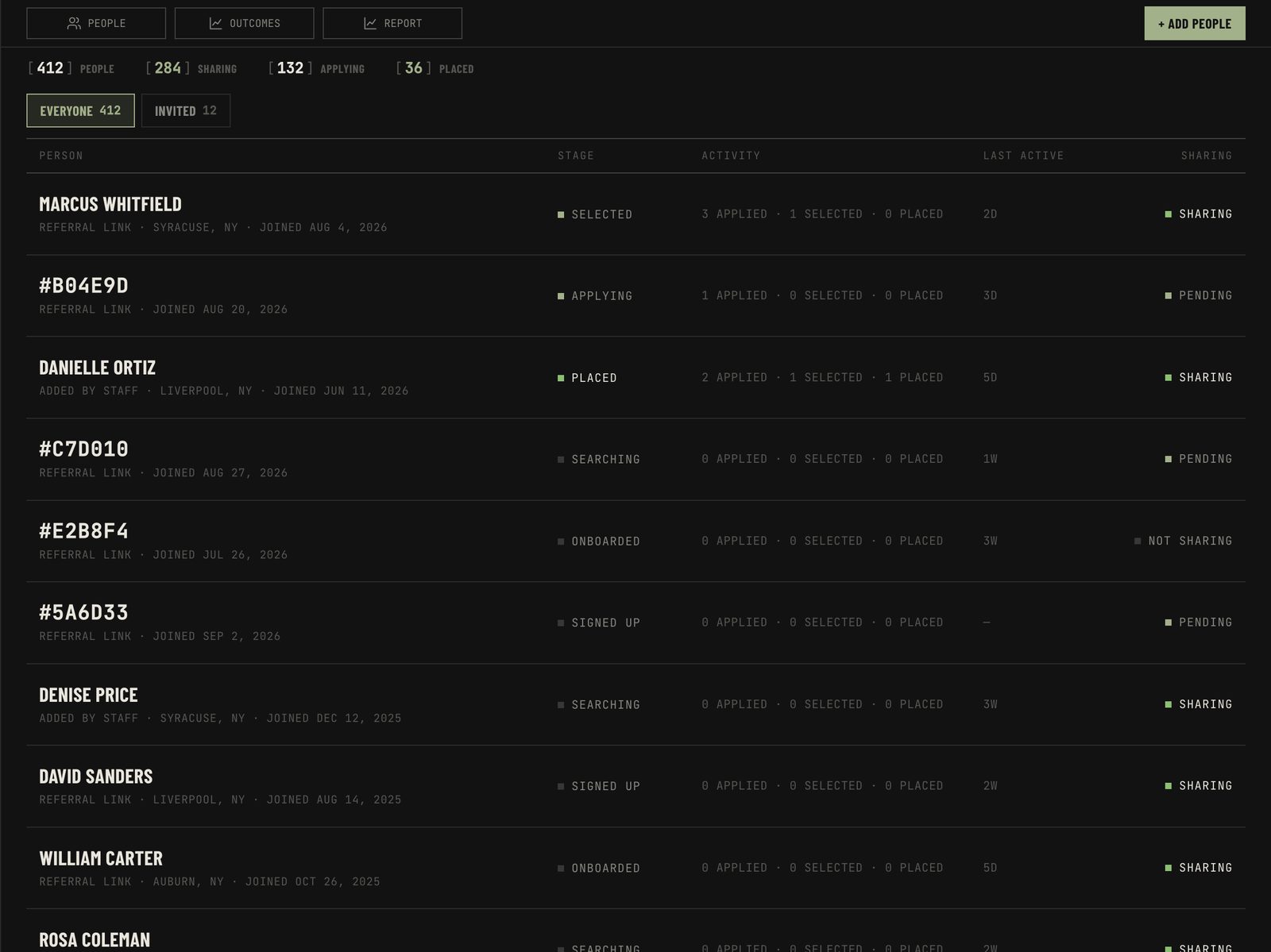
Invite a whole list at once
Paste the emails or upload a spreadsheet. Each person gets an invitation from you and is tied to you the moment they sign up.
Example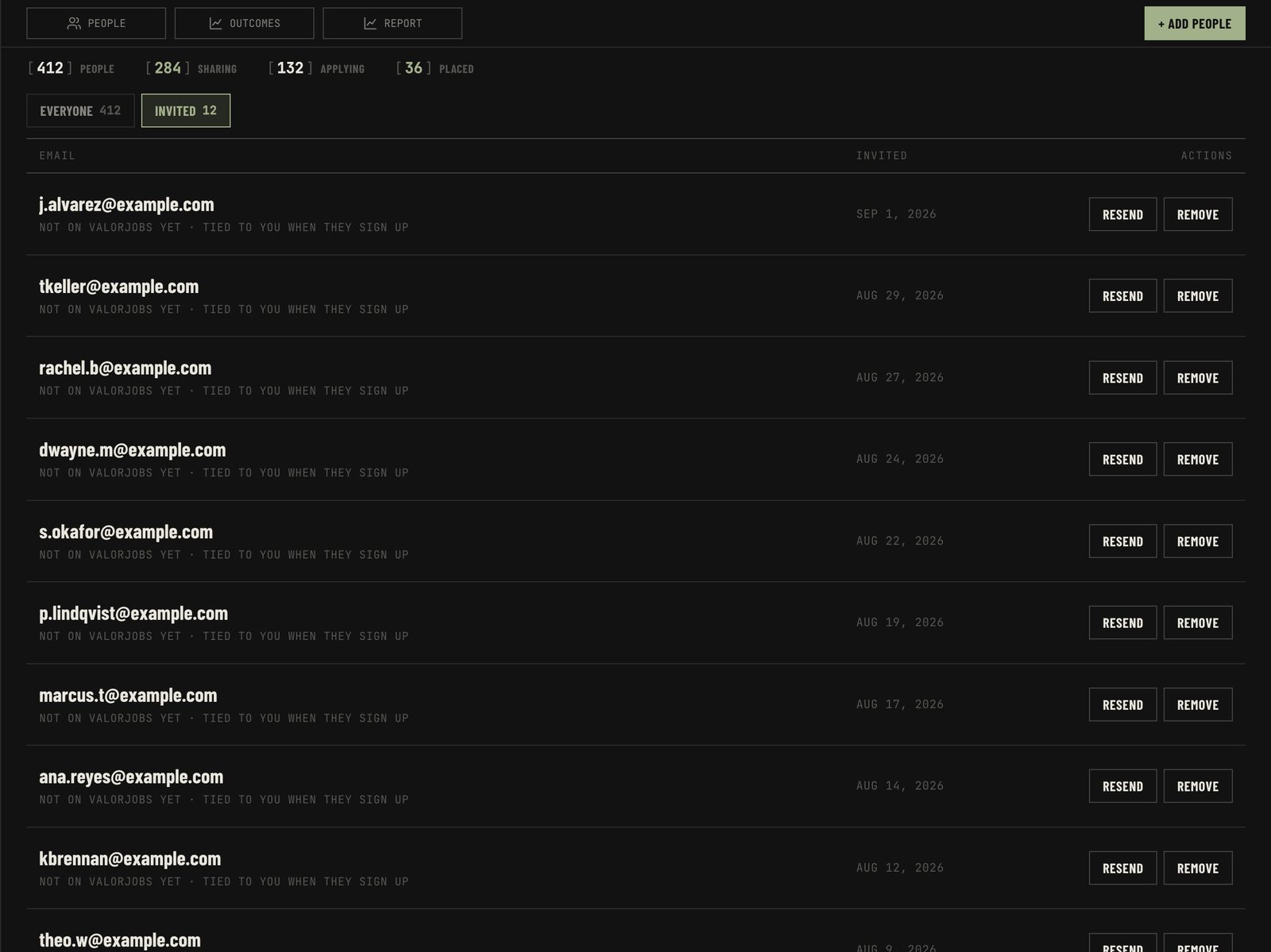
Journey timelines and advocate suggestions
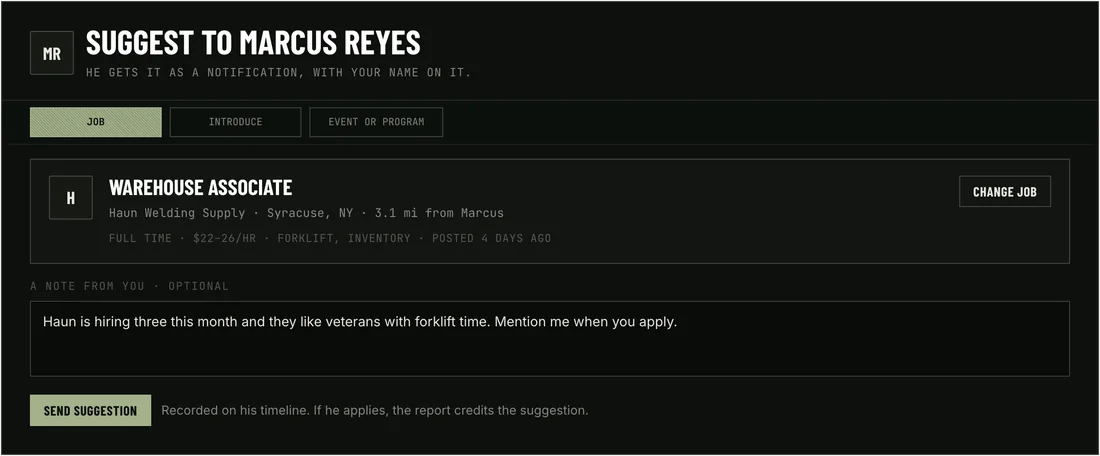
When someone shares their outcomes, their page lists every step in order. Anyone on your team can suggest a job, an introduction or an event from there.
Example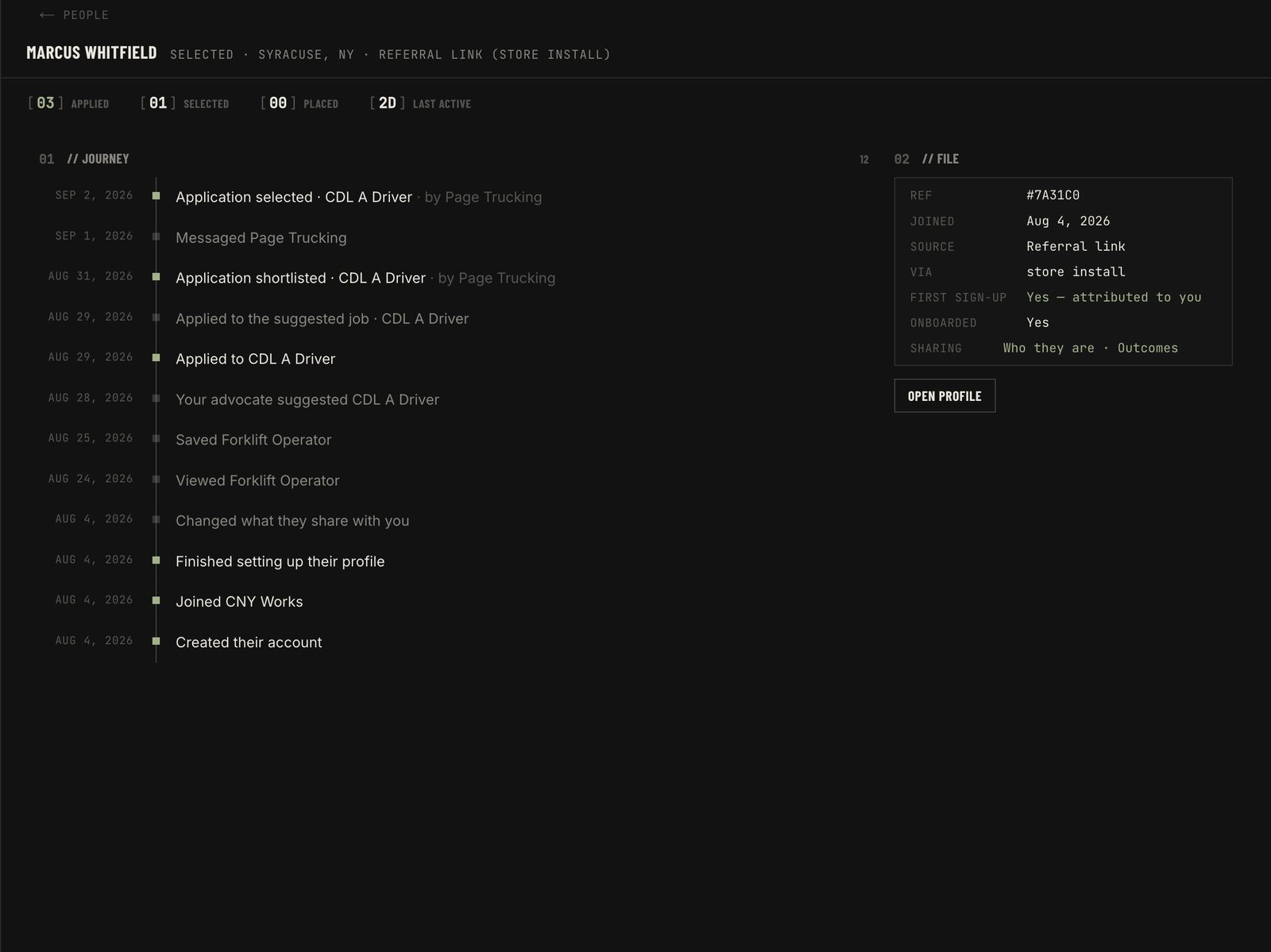
Numbers you can hand over
Funnel, placements, retention at 90 and 180 days, sign-ups per link. Counts over everyone tied to you, with no names, so nothing on it needs anyone’s permission.
Example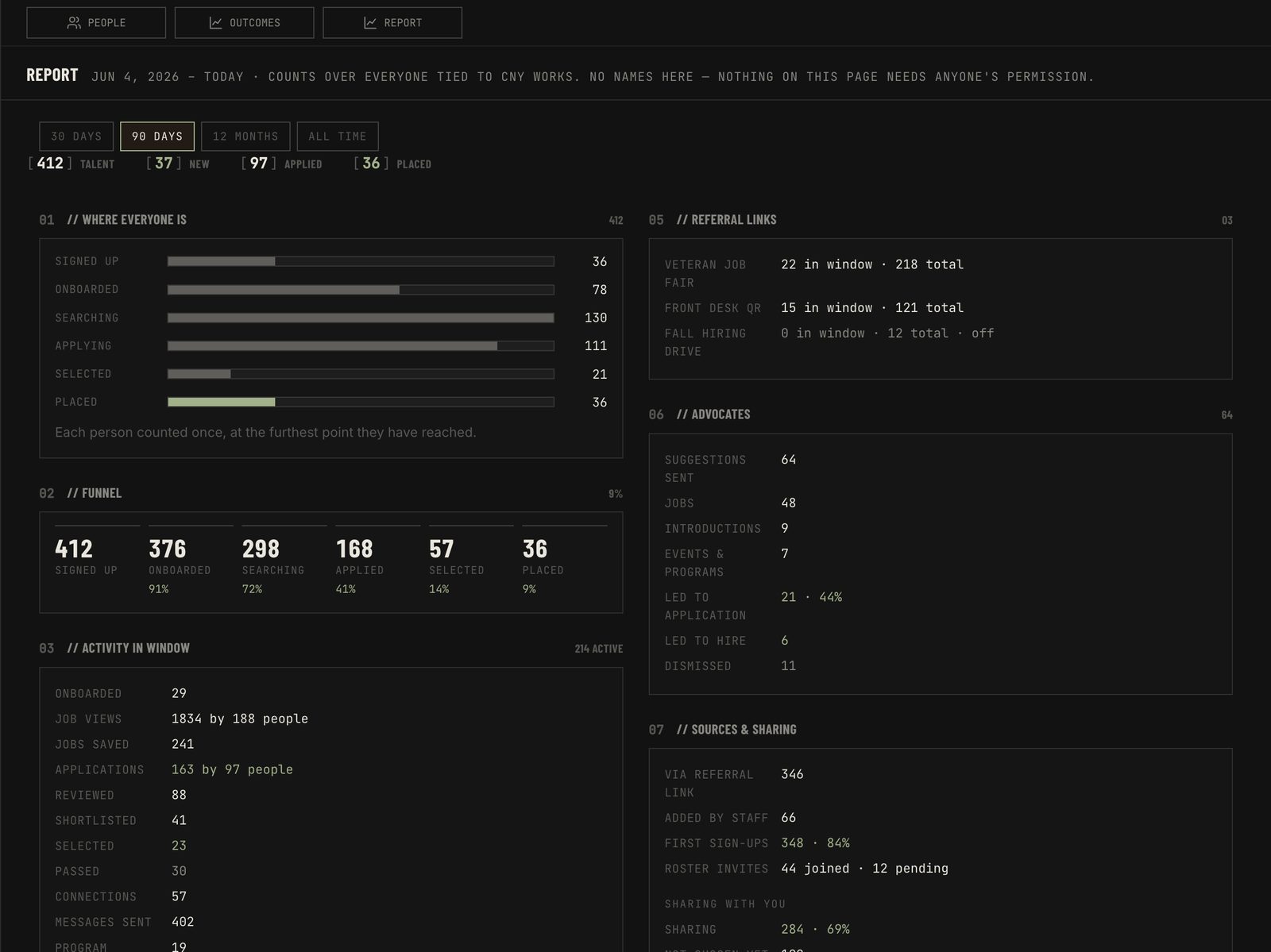
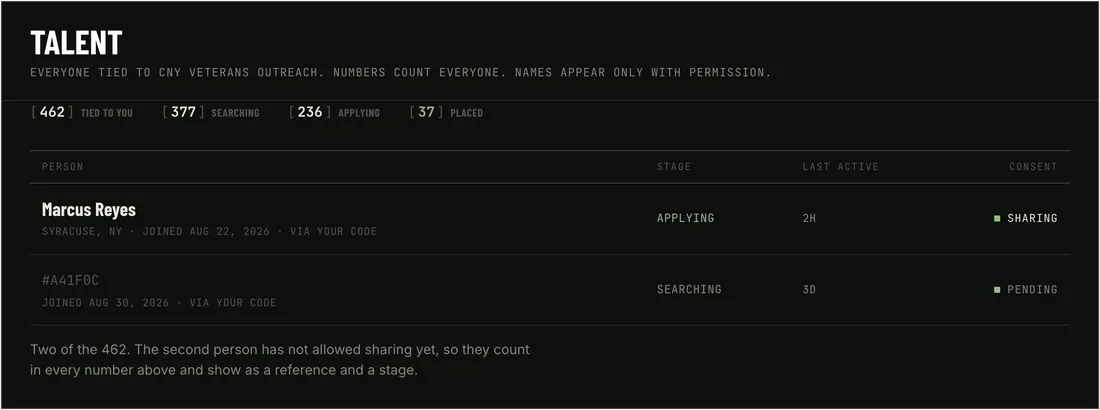
Names only where they are shared
The report counts everyone. The list shows a name only where that person turned sharing on, and they can turn it off again from their own page.
- Always
- Counts, stage, reference no.
- If shared
- Name, outcomes, employer visibility
- Cost
- Free
How you reach people here.
Veterans offices, colleges, posts and training providers. You already do the hard part. This is how the course, the hiring day or the clinic reaches the people it was built for.
Your outfit, on the map
Who you are, what you run, and the area you cover. Veterans nearby find you and follow what you post next.
It lands with the people it was built for
Hiring days, courses, benefits clinics, open evenings. It goes to veterans and first responders in your area instead of a noticeboard nobody walks past.
Know the turnout before the doors open
People follow the page and say when they are coming, so you are setting out the right number of chairs instead of guessing.
See what’s open right now.
Setting up an account takes about a minute and costs veterans and first responders nothing.